
GUIDE · ABOUT 12 MIN.
Password and Account Security
Strong passwords, secure recovery, two-factor protection — and a clear plan for emergencies.
Outcome: A personal security plan for your family's most important accounts.
Many accounts aren't taken over by complicated hacking attempts.
More often, problems arise from reused passwords, fake login pages, shared confirmation codes, or outdated recovery information.
This guide will help you check your most important accounts step by step and create a simple security plan for the whole family.
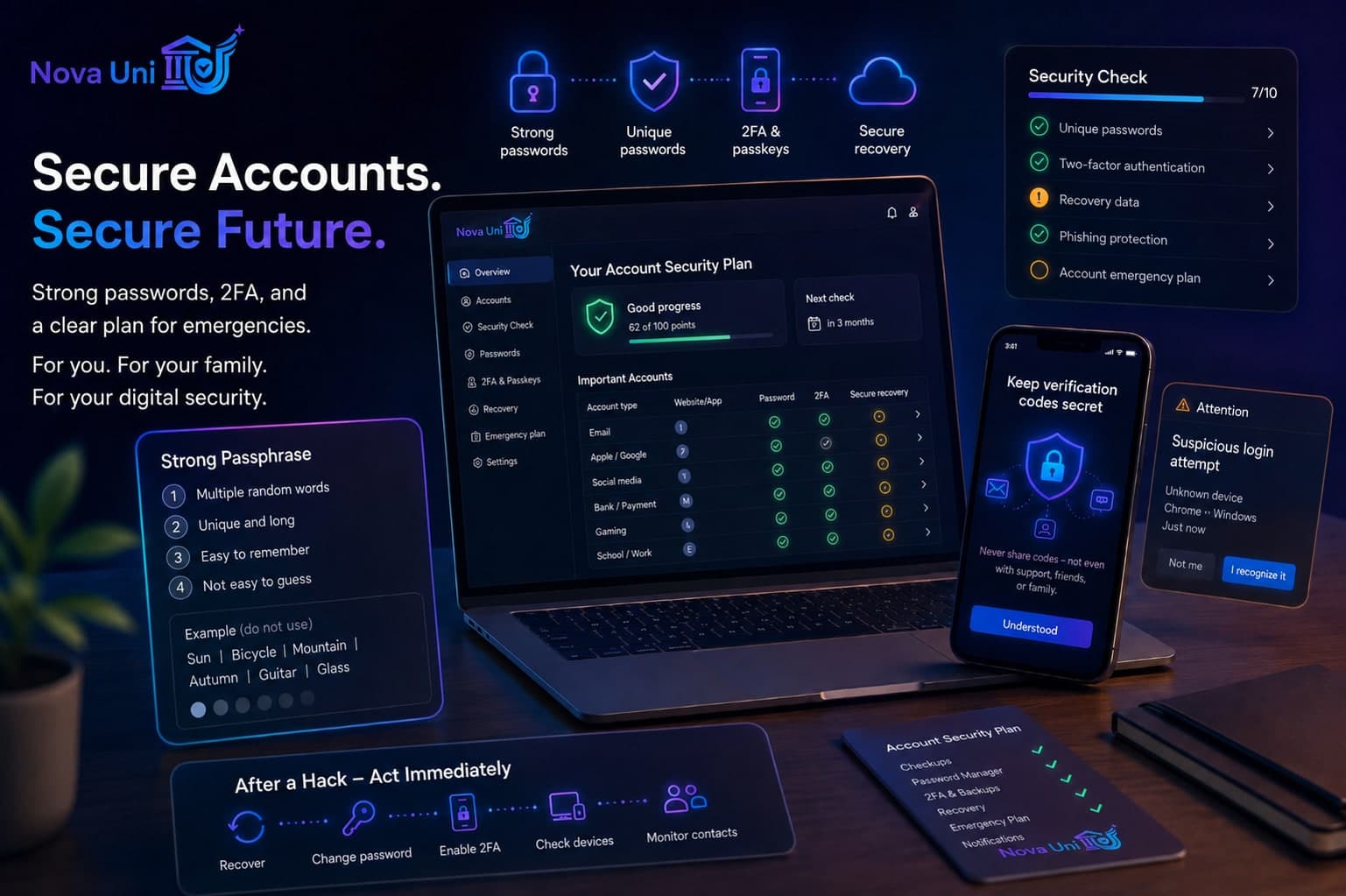
What You'll Achieve in the End
After this guide, you will have:
- identified the most important family accounts
- checked if passwords are unique
- evaluated two-factor authentication or passkeys
- reviewed recovery information
- discussed common scams
- created an emergency plan for hacked accounts
How well are your accounts protected?
Well Prepared
0–2 open points
The result is a guideline and not a guarantee of safety.
1. Strong Passphrases
A secure passphrase is long, unique, and hard to guess.
It doesn't have to look complicated. Length is usually more important than random special characters.
Better Principle
several random, independent words
Poor principle
- Name + birth year
- favorite sports team
- pet's name
- same combination for multiple accounts
Create your real passphrase outside of this page and never enter it here.
Conversation Starter: What personal information could others easily find out about us?
2. Use a unique password for each account
When a service is hacked, attackers often try stolen login details on other platforms as well.
If you use the same password everywhere, one data breach can put multiple accounts at risk.
Start with the most important accounts:
- Apple or Google Account
- Password Manager
- Banking and Payment Services
- Social Media
- Gaming
- School or Work
Important Family Accounts
Create your real passphrase outside of this page and never enter it here.
Apple / Google
Password Manager
Banking & Payments
Social Media
Gaming
School / Work
3. Password Managers
A password manager can create a unique, strong password for each account and store it securely.
This way, the family only needs to remember a few really important passwords.
- unique passwords
- automatic generation
- less password reuse
- easier updates after a data breach
- secure sharing of selected family accounts, if the service supports it
- Your main password needs to be really strong.
- Two-factor authentication should be turned on.
- Don't write down your main password on the same unprotected device.
- Set up emergency access and family features thoughtfully.
4. Two-Factor Authentication and Passkeys
Two-factor authentication requires a second proof in addition to your password.
This means that a stolen password alone is often not enough.
Preferred order, if available:
- Passkey
- Security Key
- Authenticator App
- SMS Code, if no better option is available
A passkey replaces the traditional password for supported services with a secure proof on your device, like a fingerprint, facial recognition, or device code.
- You still need to set up a recovery method.
- Don't activate a method that no one in the family understands — otherwise, you might lock yourselves out.
- Keep recovery codes safe — not as an unprotected screenshot.
2FA for Important Accounts
Apple / Google
Social Media
Gaming
Banking & Payments
School / Work
5. Preparing for Recovery the Right Way
A strong password isn't very helpful if the recovery email is outdated or a stranger's phone number is linked to it.
- current recovery email
- current phone number
- trusted device
- backup codes
- emergency contact
- removed old devices
- ended unknown sessions
Your recovery email and main account shouldn't both be protected by the same weak password.
Conversation Starter: Who helps if a child loses access or misplaces their device?
6. Never share confirmation codes
A confirmation code is like a temporary key.
It should never be shared with anyone else — not even with supposed support, friends, buyers, or platform staff.
Common Scams
- I accidentally sent you a code.
- We need to verify your account.
- Send me the code so I can help you.
- Your account will be locked otherwise.
- I'm from support.
No family member should share login, 2FA, or recovery codes.
Someone is asking for a code. What should you do?
- Don't share it.
- Disconnect.
- Open the official app or website directly.
- Check your password if you suspect a login attempt.
7. Spotting Fake Login Pages
Phishing messages try to lure users to fake login pages.
- unusual time pressure
- threat of account suspension
- spelling mistakes or strange addresses
- unexpected password request
- supposed prize
- unknown QR code
- file or link from an unknown person
- support asking for private information
- Don't click on links directly
- Open the official app yourself
- Type the web address manually
- Don't judge the sender just by their display name
- Never enter your login details after clicking an unexpected link
Suspicious Message
"Your account will be deleted in 10 minutes. Log in now."
Safe Way
Open the app yourself and check if there is a real notification.
8. Family Rules Together
9. If an Account is Hacked
1. Start Official Recovery
Use only the official app or website.
2. Change Your Password
Set a new, unique password.
3. Log Out of Other Sessions
Remove unknown devices and active sessions.
4. Secure Your Email Account
Your email account is often the key to recovering other accounts.
5. Enable Two-Factor Authentication
Set up extra protection after successful recovery.
6. Check Recovery Information
Remove unknown email addresses or phone numbers.
7. Review Connected Apps
Revoke access for any unknown connections.
8. Alert Your Contacts
Let them know if your account has sent out scam messages.
9. Check Payments
Review purchases, subscriptions, cards, and wallets.
10. Report the Platform
Report account takeover through official support channels.
Don't pay for any 'Account Recovery Services' that promise help through direct messages.
To the guide 'Hacked Account' →Your Account Security Plan
Well Prepared
0–2 open points
Next Steps to Focus On
- Priority 1: E-Mail-Konto mit 2FA schützen
- Priority 2: Wiederverwendete Passwörter ersetzen
- Priority 3: Wiederherstellungsdaten aktualisieren
- Priority 4: Familienregel zu Bestätigungscodes besprechen
- Priority 5: Notfallplan für gehackte Konten festlegen
Next Review
Review again in 3 months
The result is a guideline and not a guarantee of safety.
Related Resources
Hacked Account
Recover access, log out devices, secure accounts, and limit damage.
Privacy Check-Up
A quick check for profiles, messages, location, and device access — no security guarantee.
The First Smartphone
From child accounts to a 30-day check — start safely, step by step.
Scams
Recognize pressure, verify identities, and protect money, accounts, and personal data.
Family Phone Agreement
A shared promise — not a punishment. Rules apply to everyone. Clarity, trust, and safe habits.
AI Safety
Use AI wisely, verify information, and protect personal data.
This guide provides general educational and organizational support. It is not a security guarantee and does not replace professional IT, legal, or emergency advice.