Nova Uni
Growing up safely in the digital world
Nova Uni shows children and teens how to use smartphones, social media, gaming, AI, and online contacts safely, confidently, and responsibly.
- Interactive courses
- Visible learning progress
- Final tests & certificates
For children aged 8–14 · 14 courses · 12 months’ access · one-time from 24,90 €
For more understanding, safety, and confidence.
 AI-generated content
- Smartphone Ready
- Stranger Contacts and Friend Requests
- Images, Screenshots, and Privacy
- Your Parents Are Here to Help You
- Using Messenger and Group Chats Safely
- Passwords, Links, and Scams
- Online Games, Chats, and Strangers
- Using Social Media Safely
- Recognizing Cyberbullying and How to Respond
- Fake or Real? – Spotting Lies on the Internet
- Privacy, Location, and Profile Settings
- The Importance of Screen Time
- Asking for Help, Facing Fear, Dealing with Pressure, and Understanding Secrets
- AI: What Is It, Really?
Why this matters
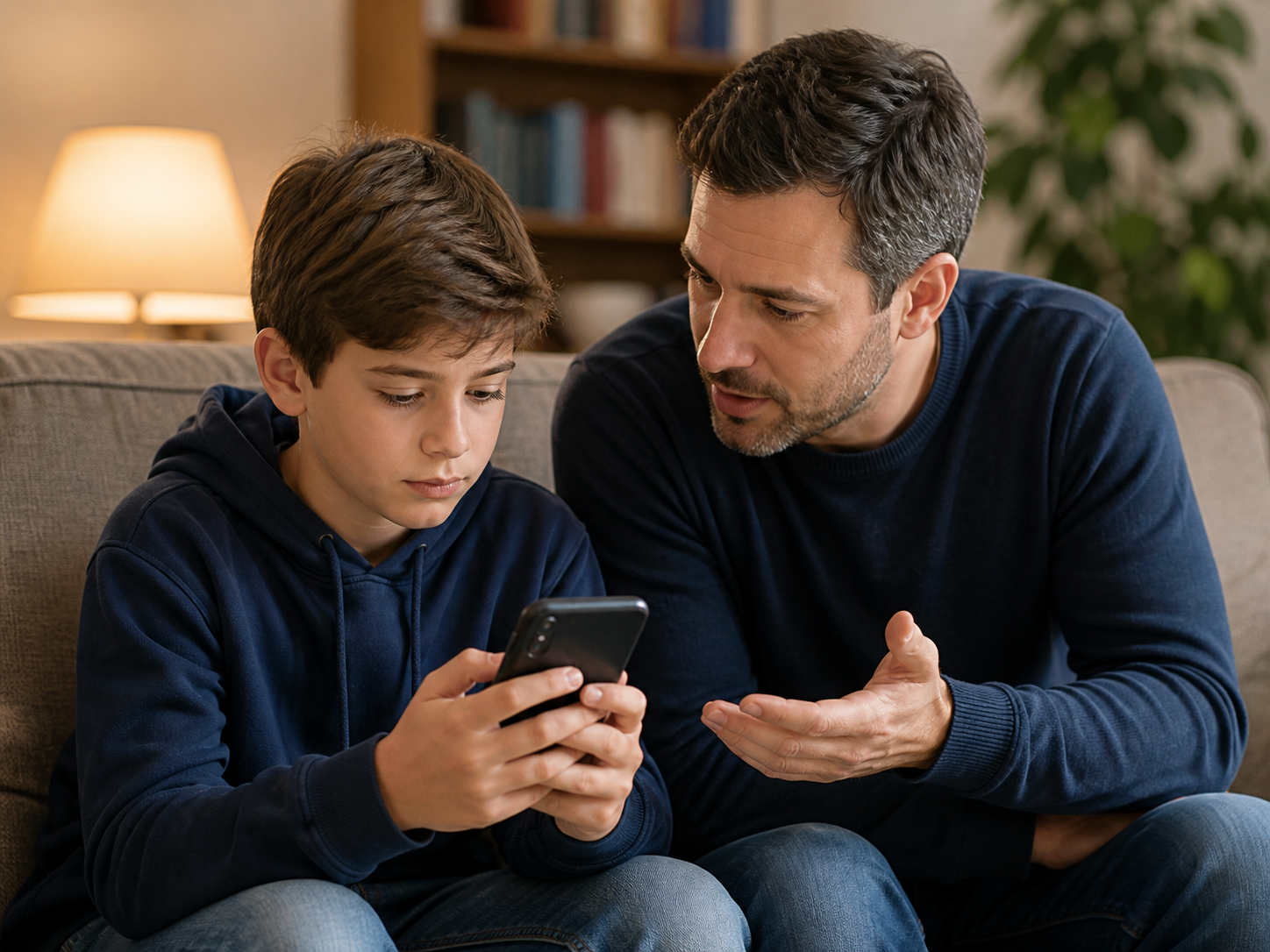
The smartphone often arrives before the orientation.
Children grow up with digital media as a given. At the same time, new questions appear: What may I share? Who can I trust? What do I do when something goes wrong?
Nova Uni helps children understand digital situations better and make safer decisions.
- Spot the risks
- Decide more safely
- Get help
 AI-generated content
Welcome to Nova Uni
Hi, I’m Nova. Glad you’re here.
How Nova Uni works
How your child learns with Nova Uni
Short videos, interactive questions, and clear feedback turn watching into real understanding. Every course ends with a final test, visible progress, and a personal certificate.
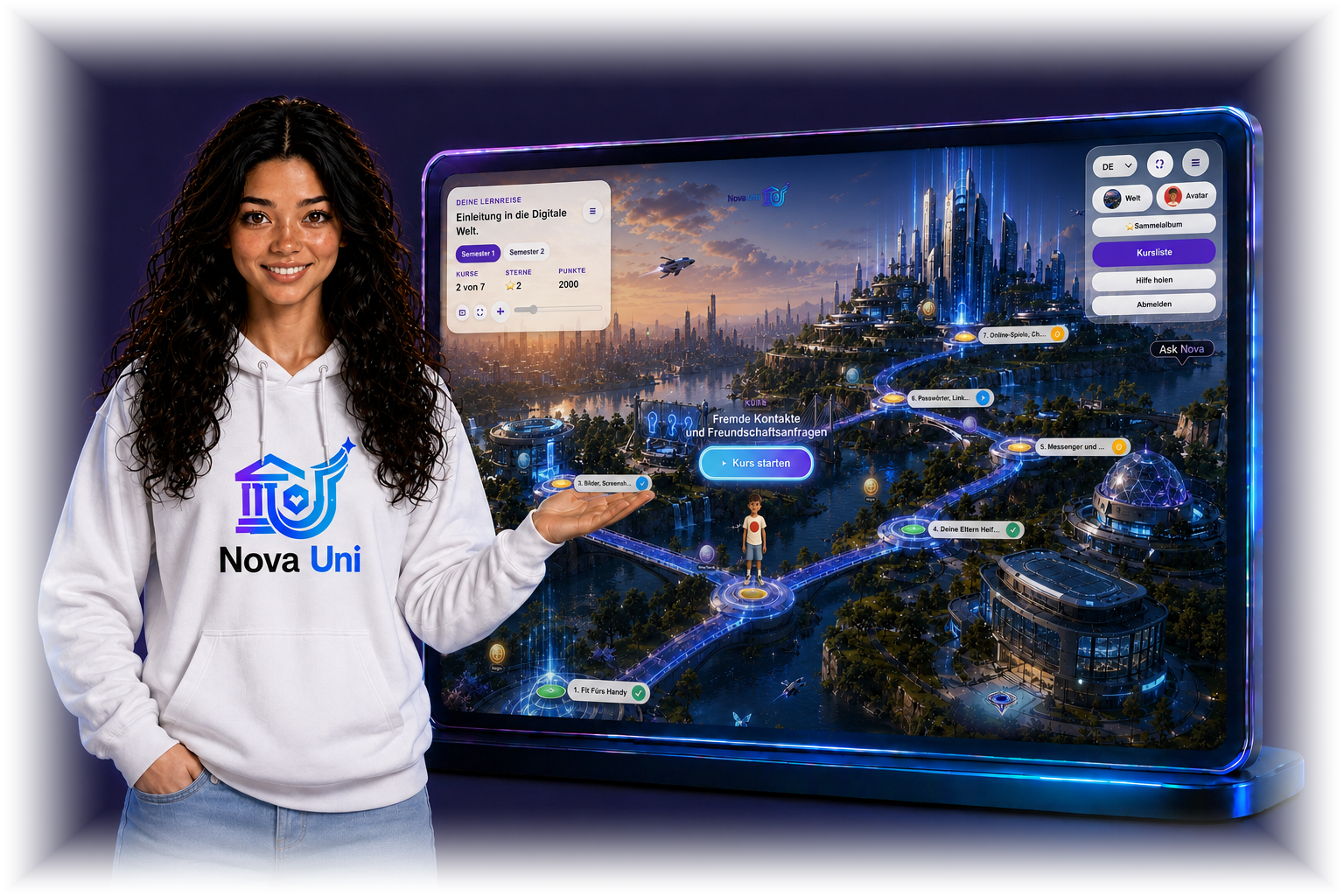
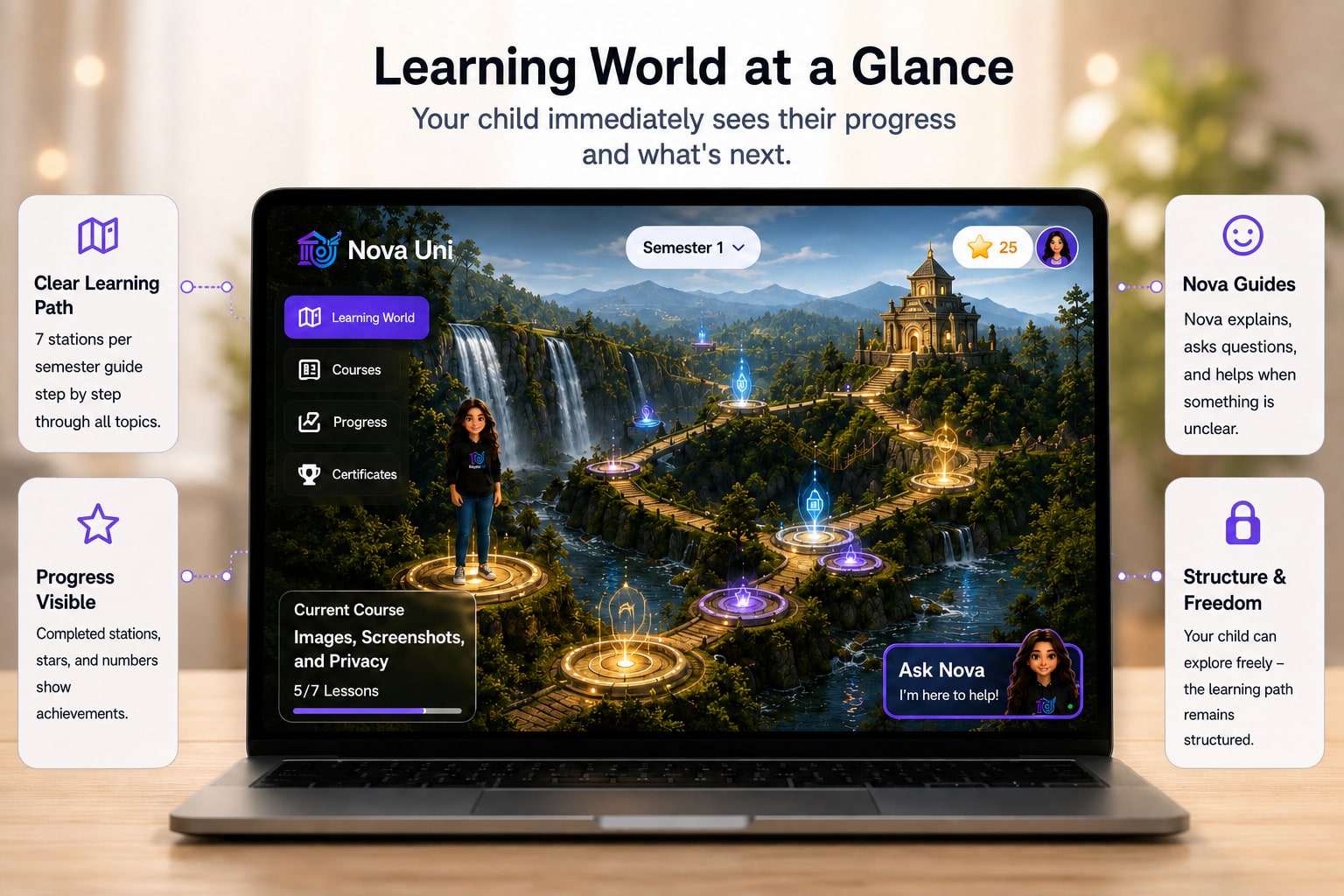
A clear learning world instead of endless scrolling
Your child sees at once where they stand and which station comes next — without scrolling through an endless list.
A clear path
Seven courses per semester. Each course consists of seven short lessons.
Nova by their side
Nova explains, asks questions and helps whenever something is unclear.
Progress you can see
Completed stations, stars and numbers show what has been achieved.
Structure and freedom
Your child can explore — the learning path stays structured all the same.
How knowledge becomes media literacy
A lesson in four steps: first understand and practise — then a short reward that only unlocks after learning.
01
Understand
Short videos explain digital topics clearly and age-appropriately.
02
Think along
Interactive questions apply the knowledge straight away.
03
Become safer
Instant feedback explains what is right and why.
04
See success
Progress, stars and certificates make what your child can do visible.
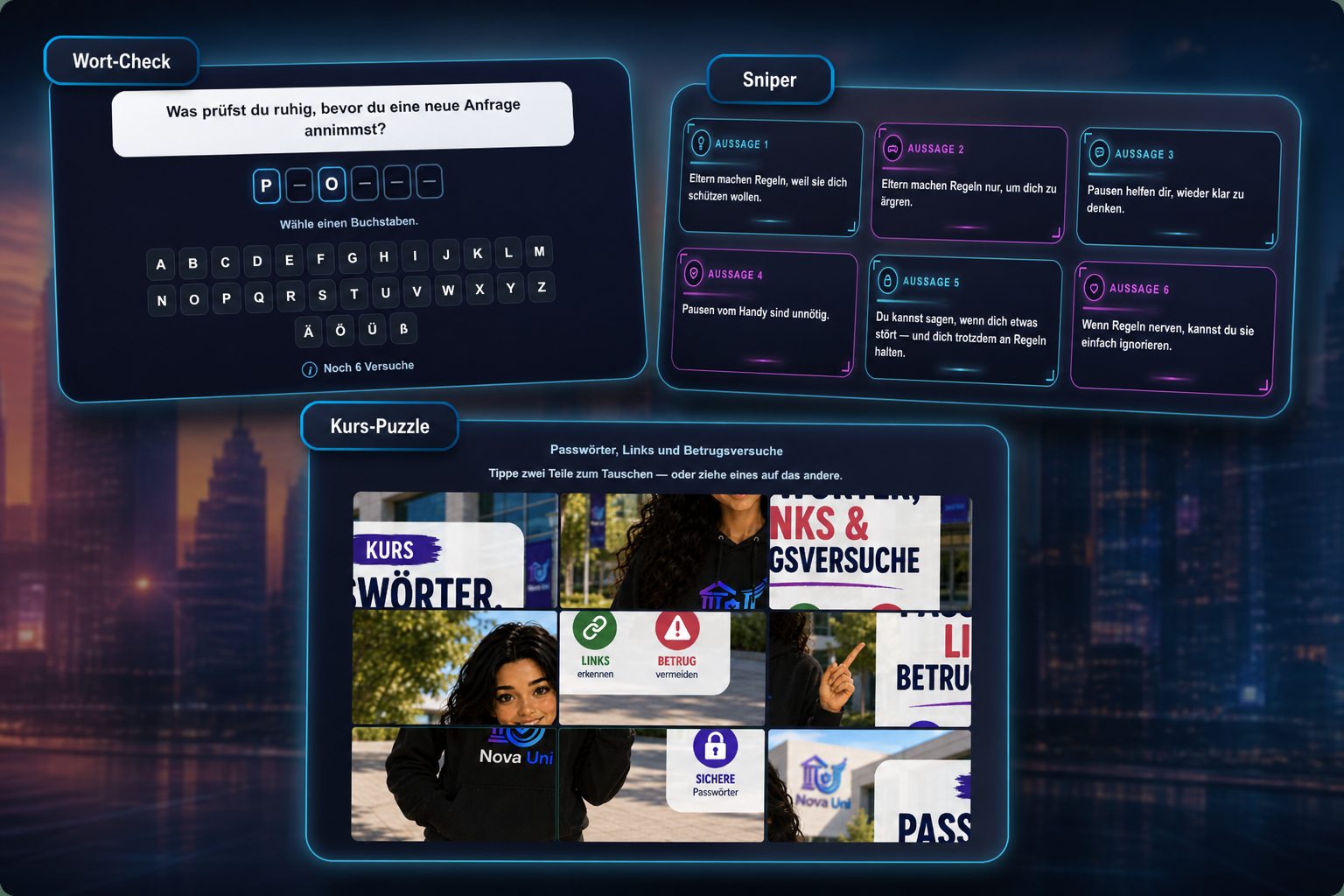
After learning
Lesson done. Challenge unlocked.
After every completed lesson a short learning challenge opens. Your child applies what they just learned — without endless gaming.
Word check
Spot the terms
Course puzzle
Piece the topic together
Statement check
True or false?
- Only after the lesson
- At most 3× a day
- No endless gaming
 AI-generated content
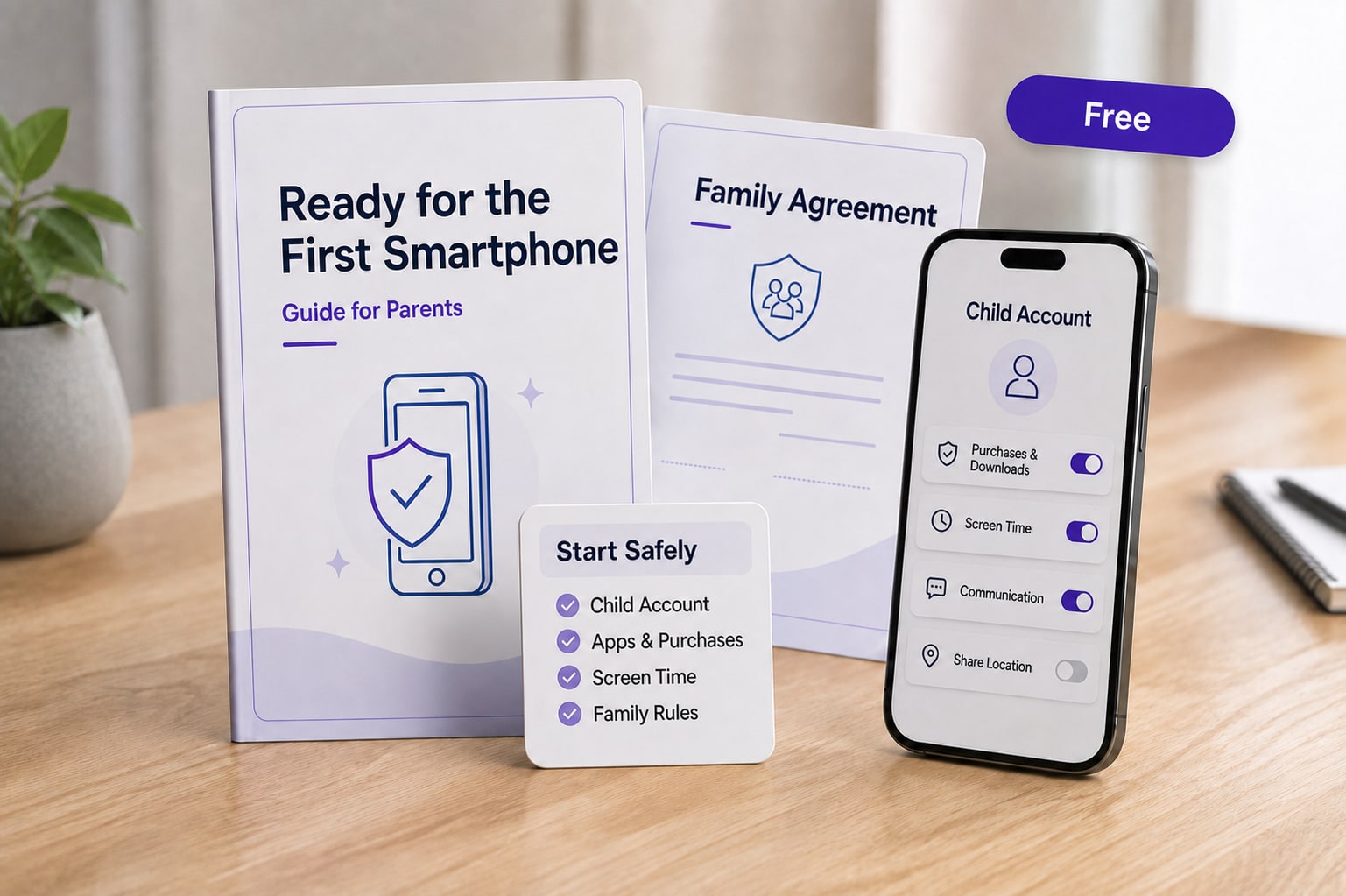
Free for parents
While your child learns, we support you too.
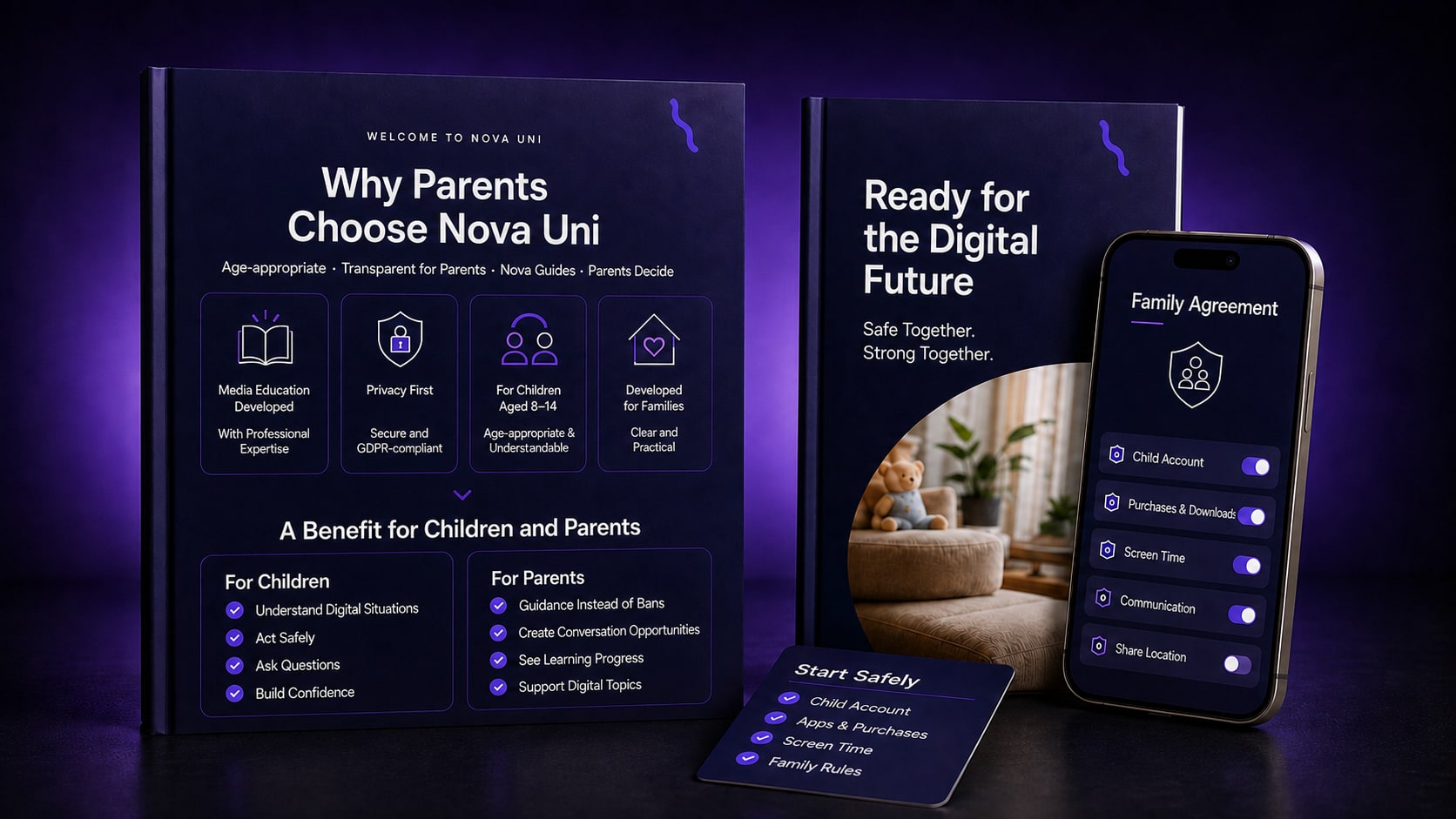
Our free guides help you set up child accounts, apps, screen time, and family rules safely and understandably.
- Set up a child account properly
- Limit apps and purchases
- Agree on screen time together
- Set clear family rules together
What your child learns
A clear overview of the learning topics — age-appropriate and practical.
About 15 minutes of video per course, plus interactive questions and a final test.
Semester 1 – Introduction to the digital world
- 1Smartphone Ready
7 lessons
- Hi, I'm Nova!
- Your Phone: What Does It Mean to You?
- Why Games and Videos Are So Exciting
- Writing & Communicating with Respect
- People on the Internet Aren't Visible!
- Asking for help is brave
- What You Learned Today
- 2Stranger Contacts and Friend Requests
7 lessons
- Not Everything is Real on the Internet
- If You Don't Know the Person
- Protecting Personal Information
- If Someone Wants to Meet You
- When Someone Says, 'Keep It a Secret'
- Switching to Private Chats
- What You Learned Today
- 3Images, Screenshots, and Privacy
7 lessons
- Be Careful with Pictures in Chat
- When Strangers Ask for a Photo
- Sharing Photos of Others
- Screenshots in Chats
- What Pictures Reveal About You
- When Your Picture Gets Shared
- What You Learned Today
- 4Your Parents Are Here to Help You
7 lessons
- Why Your Parents Set Rules
- Why It's Sometimes Hard to Stop
- Why Your Parents Ask Questions
- Why Your Parents Sometimes Say No
- When Rules Are Annoying
- When Your Parents Help You with Your Phone
- What You Learned Today
- 5Using Messenger and Group Chats Safely
7 lessons
- Messaging and Group Chats
- Do I always have to reply right away?
- Bullying and Pressure in Chats
- Screenshots in Chats
- Strangers in Chat
- Asking for help is brave
- What You've Learned
- 6Passwords, Links, and Scams
7 lessons
- Passwords Are Like Keys
- When Someone Pretends to Be Your Friend
- Watch Out for Links
- Watch Out for Winning Messages
- Scammers Send Codes
- What to Do If Something Happens
- What You Learned Today
- 7Online Games, Chats, and Strangers
7 lessons
- Games are Fun, but Not Everything is Safe
- Strangers in Games Aren't Your Friends
- Don't Share Everything About Yourself
- When Someone Wants to Message You Privately
- When Someone Pressures You or Asks for a Photo
- When Something Feels Off
- What You Learned Today
Semester 2 – Further topics of the digital world
- 1Using Social Media Safely
7 lessons
- What is Social Media?
- Not Everything is Real
- You Don't Have to Follow Every Trend
- Why Likes Aren't Everything
- Why It's Important to Always Be Kind
- Social Media Isn't Everything
- What You Learned Today
- 2Recognizing Cyberbullying and How to Respond
7 lessons
- What is Cyberbullying, Anyway?
- How Can You Recognize Cyberbullying?
- Are You Unintentionally Joining In?
- What Can You Do If You're Affected?
- What can you do if someone is being bullied in a chat?
- You Are Not Alone
- What You Learned Today
- 3Fake or Real? – Spotting Lies on the Internet
7 lessons
- Not Everything on the Internet is Real!
- Not Everyone is Who They Say They Are
- Images and Videos Can Be Deceptive
- Why Are Some Things on the Internet Not Real?
- How to Tell if Something is Real
- Think Before You Believe or Share
- What You Learned Today
- 4Privacy, Location, and Profile Settings
7 lessons
- Your Data Belongs to You
- Be Careful with Your Location
- Who Can See Your Stuff Online?
- What to Keep Private
- Think Before You Share
- You Decide What You Share
- What You Learned Today
- 5The Importance of Screen Time
7 lessons
- Why It Can Be Hard to Stop Sometimes
- Why Apps and Games Want to Keep You Playing
- Why Your Brain Wants More
- Why Breaks Are Important for You
- Why Good Sleep is Important
- Why You Can Make Your Own Decisions
- What You Learned Today
- 6Asking for Help, Facing Fear, Dealing with Pressure, and Understanding Secrets
7 lessons
- Asking for help is brave
- You Can Always Say No
- Wenn dir jemand Angst macht oder Druck ausübt
- Wenn jemand sagt: „Sag es niemandem“
- Wenn dir etwas peinlich ist
- Who Can You Talk To?
- What You Learned Today
- 7AI: What Is It, Really?
7 lessons
- What is AI, Anyway?
- Where Do You Encounter AI?
- What should you know about AI?
- Why You Shouldn't Believe Everything AI Says
- How Can AI Help You?
- AI Will Be Your Companion in the Future
- What You Learned Today
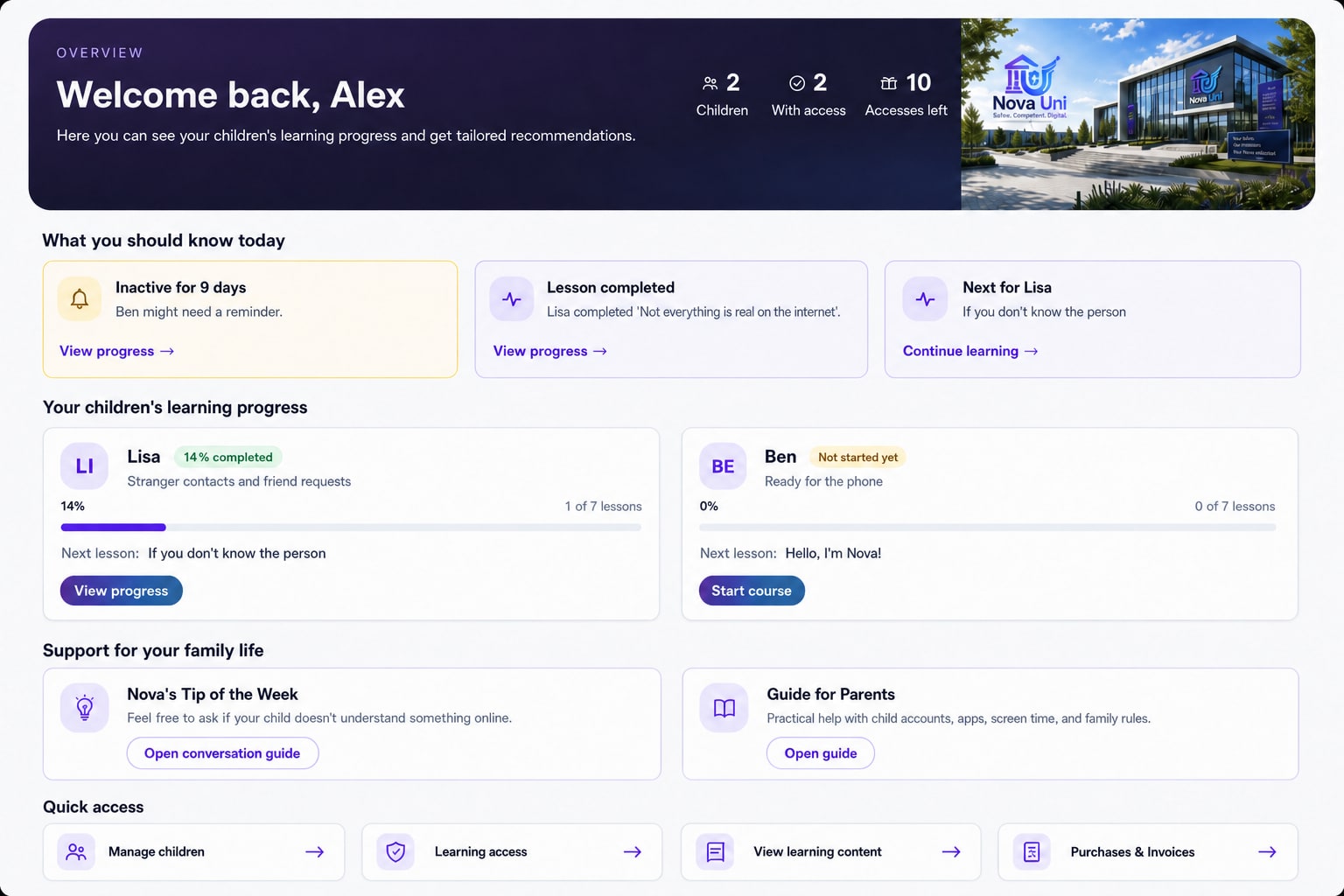
Parents keep an overview. Children explore the digital world.
Parents see learning progress, completed courses, and achievements — without constant control.
 AI-generated content
Parent dashboard
The parent dashboard is the family overview: how many child profiles you have, who has learning access, what to know today, each child’s progress, Nova’s weekly tip and the free guides — without watching over the child all the time.
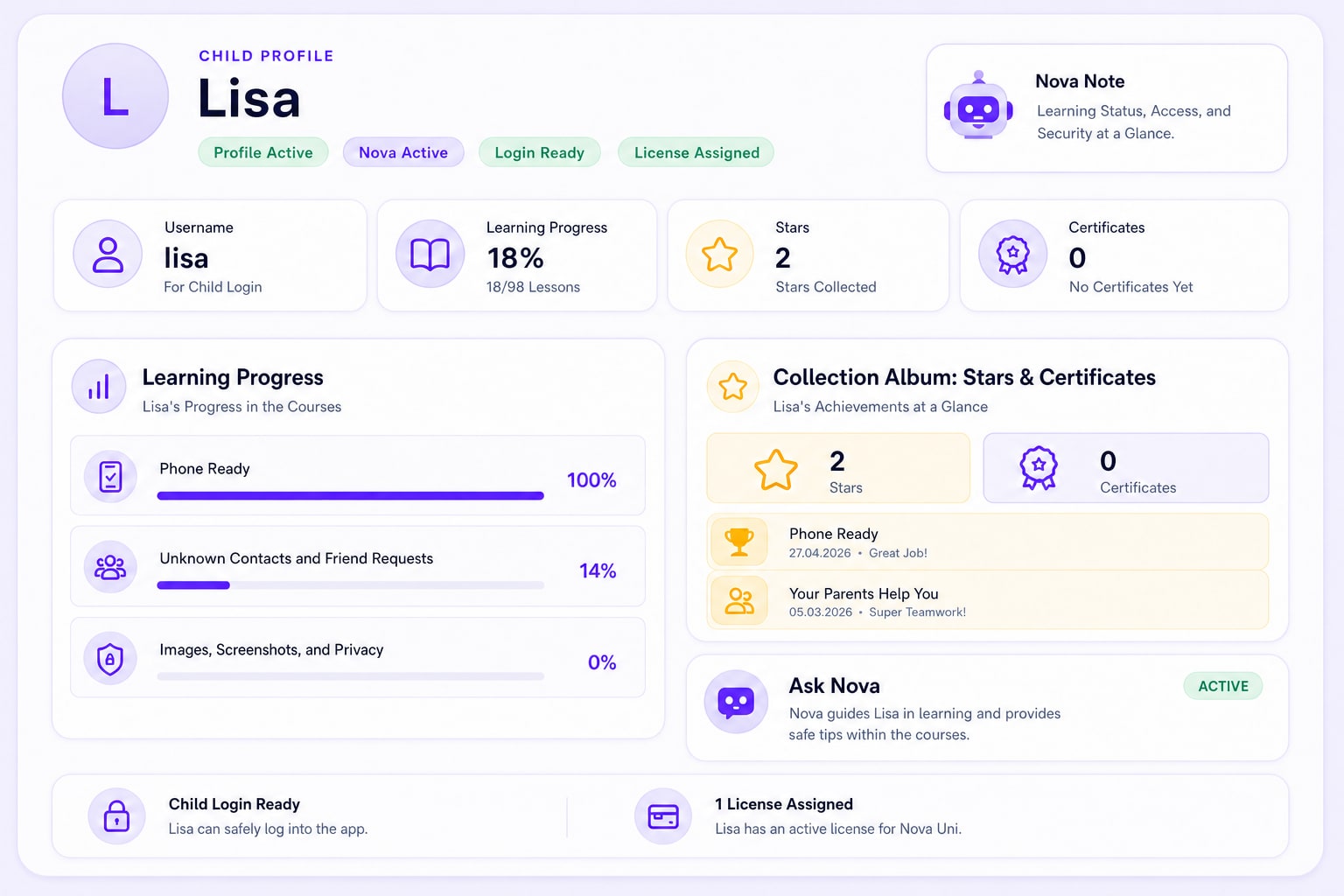
Child profile
In the child profile you set the username and PIN, assign a licence, and see learning progress, stars, certificates and whether Ask Nova is on. The child learns on their own device — this area stays with the parent.
Nova supports your child while learning
Nova answers questions about the course content, explains difficult terms and helps your child make better sense of situations online.
A clear and safe frame
Course topics only
Nova is not an open chatbot. She stays with course topics and safe behaviour online.
No personal counselling
Nova is not a therapist and gives no legal, medical or life advice.
Points to real help
In distressing or risky situations Nova points to a trusted adult and names suitable support services.
No open internet access: Nova does not browse websites or social media.
Nova remains a learning companion. She does not replace parents, teachers, counselling services or professional help.
Why parents trust Nova Uni
Age-appropriate · Transparent for parents · Nova does not replace parenting
How to start
Get started in a few steps
From purchase to certificate — clear and manageable for the whole family.
Access stays active for 12 months after purchase.
 AI-generated content
- 1
Buy access
Secure learning access for your child on our website.
- 2
Create a child profile
Set up the profile and prepare the start.
- 3
Complete courses
Your child learns in short steps with videos, questions, and feedback.
- 4
Receive a certificate
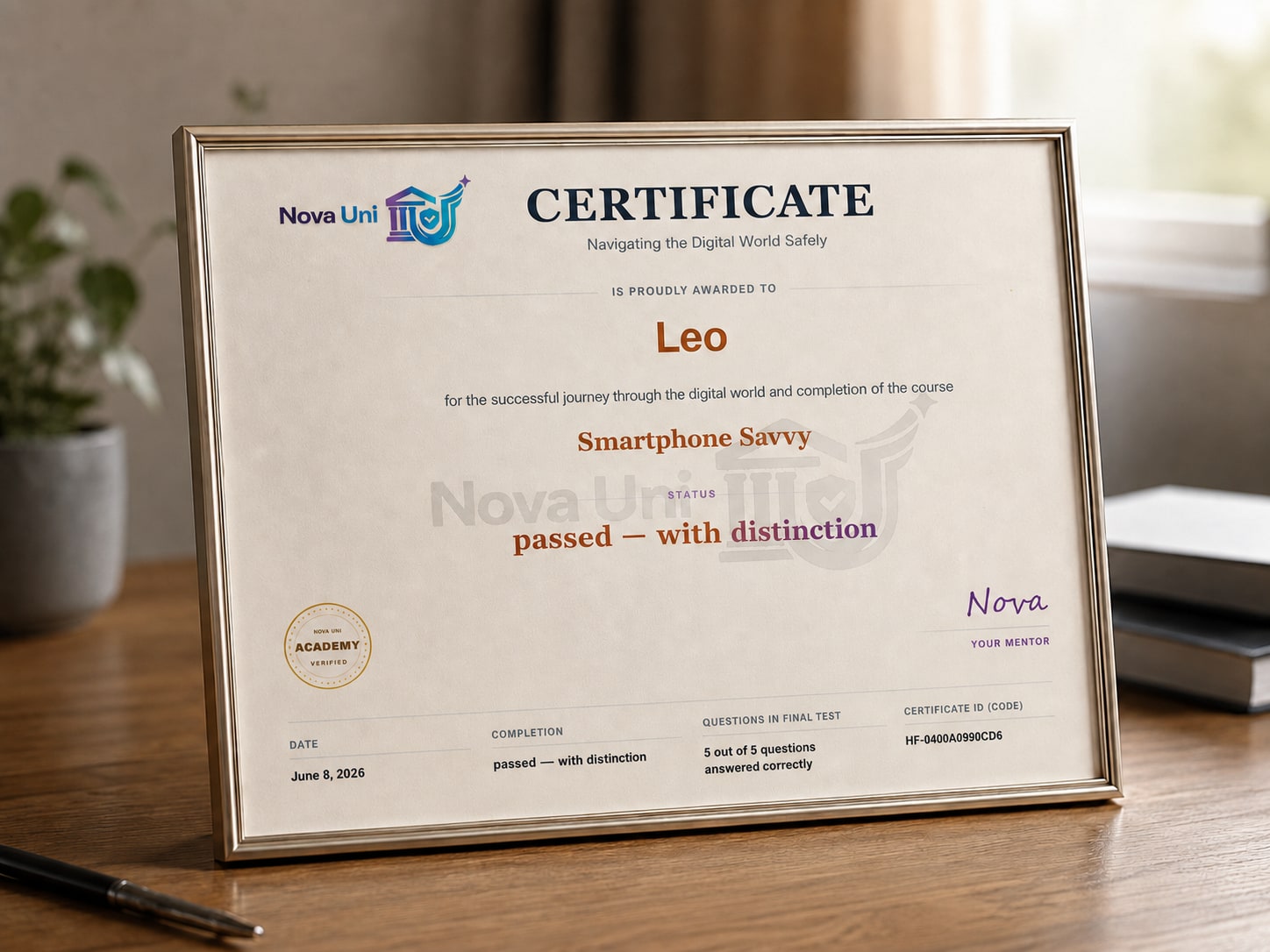
After a successful final test, your child receives a personal certificate.
- One-time purchase
- Active for 12 months
- Personal certificate
Price & access
12 months of digital learning support
One access — child area, parent area, courses, tests, and certificates. Easy to plan for families.
Follow us on social media to be the first to hear about promotion codes and offers.
Learning access
Bookable for 1 to 5 children per order. Set up once, then use for 12 months in a protected learning frame.
Take your time: for questions before purchase, reach us at support@nova-uni.com
Common questions from parents
Short answers so you can quickly decide whether Nova Uni fits your family.
What age is Nova Uni for?
Roughly ages 8–14. What matters is whether smartphones, chats, games, or social media are already part of everyday life.
How long does a course take?
About 15 minutes of video per course, plus interactive questions and a final test. Total time depends on your child’s pace.
Can my child learn independently?
Yes. The child area is designed for independent learning. Parents keep an overview in the parent area.
What can parents see?
Learning progress, completed courses, and achievements — transparent, without constant control.
Can Nova monitor my child?
No. Nova is a learning companion inside the courses and does not monitor devices or private messages.
Which devices work?
Nova Uni runs in the browser on common computers, tablets, and smartphones with a stable internet connection.
How long does access stay active?
Access stays active for 12 months after purchase.
Are new courses included?
Yes. With access you can use the available courses in the learning area — including new ones when they are released.
How does Nova Uni protect personal data?
Privacy comes first. We process data for clear purposes and in line with GDPR. Details are in the privacy policy.
Ready for the next step?
Make your child’s digital everyday life clearer.
Start with a clear learning frame that builds knowledge and makes conversations easier.